🔌 Configure an Easee charge point
Easee charge points are not configured one by one: they are linked to Fuzz from Easee's web portal, portal.easee.com, by designating Fuzz Energy as the operator of the charging site. Fuzz then links the charge points to the Fuzz site: this last step is done by Fuzz support, not in the Console. Notify Fuzz in advance so that the connection is quick.
✅ Prerequisites for Easee charge points
- The Easee charge points are already connected to your account on the Easee portal, in an Easee charging site.
- You have access to the portal's Easee Control application (fleet management).
- The Fuzz site exists in the Console and you know its identifier (the site UID, visible in the Console address:
/sites/<siteUid>/..., for examplet1d1vauf). - In the Console, the station and its charge points are created on the site. The OCPP identity of an Easee charge point is always its serial number (SN): enter it in the station's Serial number field (see Charge point identity).
1. Choose Fuzz Energy as the operator on the Easee portal
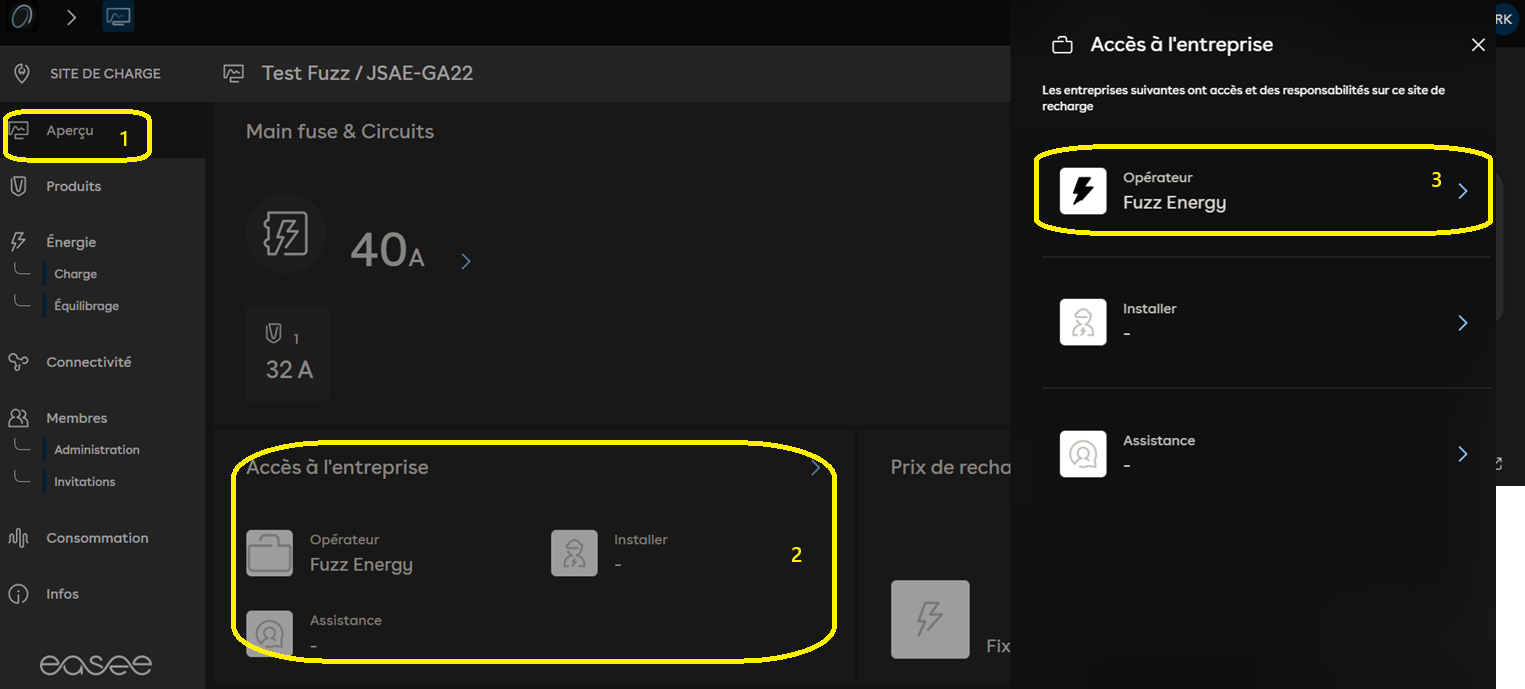
The screenshots below show the Easee portal in French: the labels are written as they appear there, with their English meaning in parentheses.
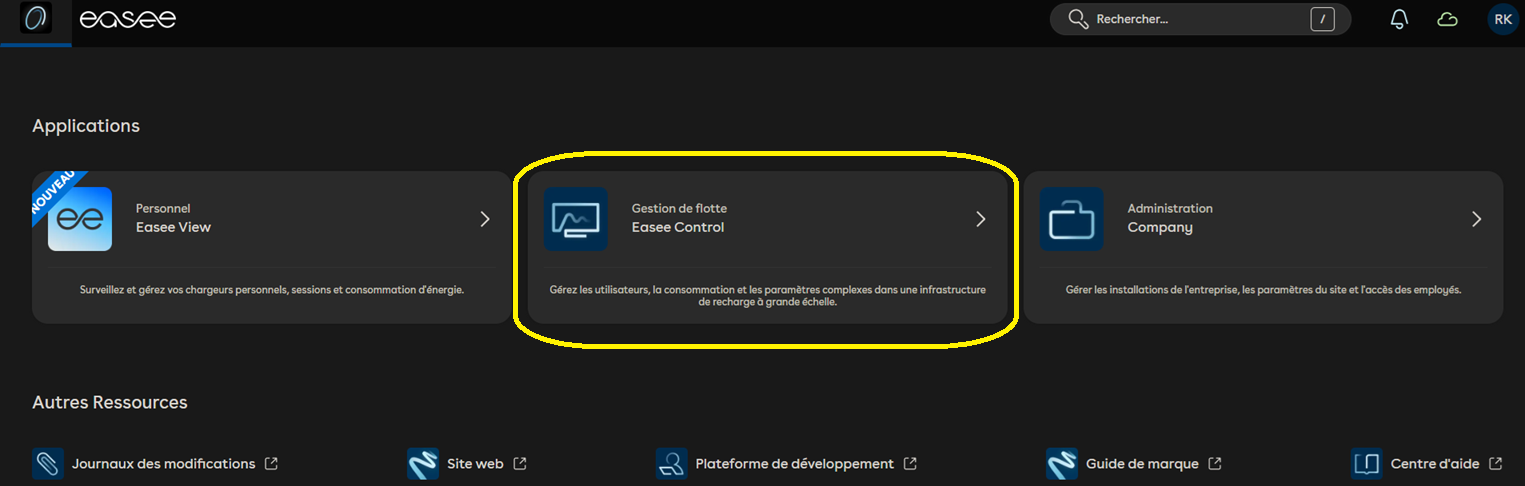
- Sign in to portal.easee.com.
- In Applications, open Easee Control (Gestion de flotte, fleet management).
- Open the charging site to link to Fuzz, page Aperçu (Overview).
- In the Accès à l'entreprise (Company access) card, click the Opérateur (Operator) line.
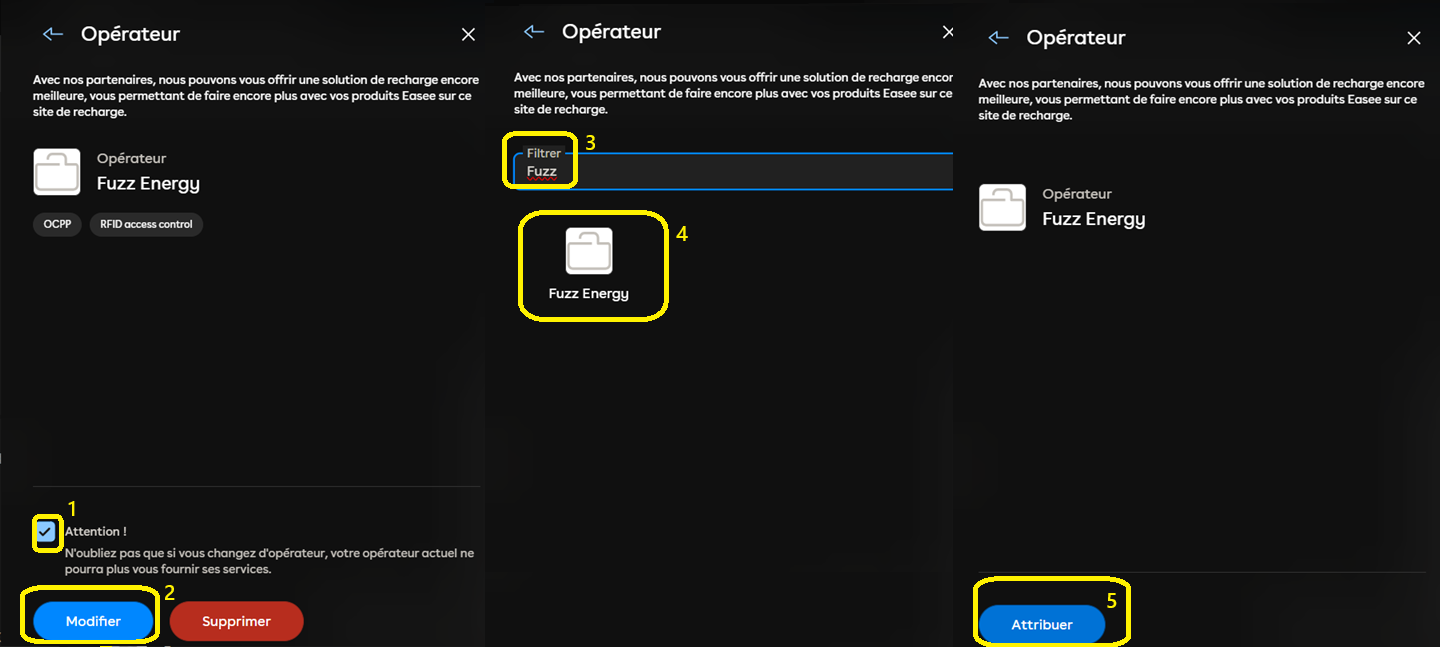
- Tick the Attention ! (Warning) box ("if you change operator, your current operator will no longer be able to provide you with its services"), then click Modifier (Modify).
- In Filtrer (Filter), type
Fuzz, select Fuzz Energy, then click Attribuer (Assign).
The Accès à l'entreprise card then shows Opérateur: Fuzz Energy.
2. Notify Fuzz support and check
- Write to support@fuzz.energy: state that the Easee charge points have been linked to Fuzz Energy and give the Fuzz site identifier (site UID) to attach them to, as well as the charge points' serial numbers.
- Fuzz links the charge points to the site manually. This operation is not available in the Console.
- Once Fuzz has confirmed the connection, check in Assets that the Easee charge points change to Online (see Check that the charge point is connected).
In the Console, choose the Easee model in the Model field of the Charge point protocol step: the model contains the way Fuzz controls the current of these charge points. If it is not offered in the list, ask Fuzz support for it.